 Free Internet Speed Test for Trinidad and Tobago
Multi opens several parallel connections (closer to real-world browsing/streaming). Single uses one connection (shows the ceiling of a single stream/download).
Press GO to start your free speed test.
Your Network Details
Approximate location based on your public IP address not your precise GPS position.
Your Test History
| Time | Download (Mbps) | Upload (Mbps) | Ping (ms) | Jitter (ms) |
|---|
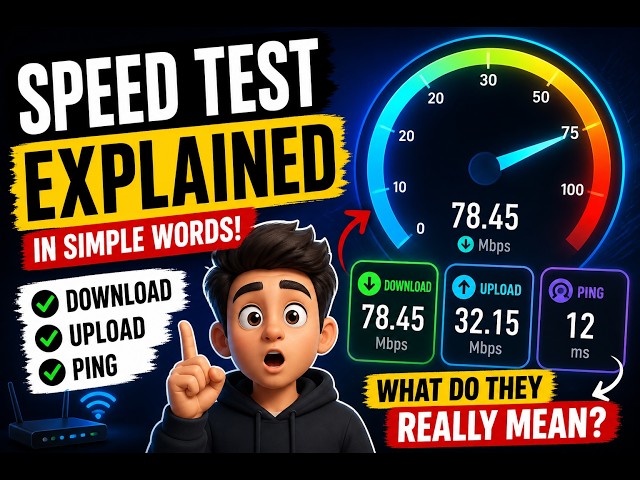
Whether you're on Flow fibre in Port of Spain, Digicel mobile data in Tobago, or Amplia broadband in Chaguanas, this free browser-based speed test gives you instant, accurate numbers on your download speed, upload speed, ping, and jitter no signup, no app, no hassle.
Key Takeaways
- Internet speed in Trinidad and Tobago varies a lot depending on where you live, which provider you use, and even the time of day you go online.
- This tool runs entirely in your browser using modern web technology, so there's nothing to download or install.
- Once your test finishes, you'll see four key numbers, and understanding what they mean helps you know whether your connection is actually performing well.
- The internet landscape in Trinidad and Tobago is dominated by a small number of providers, each with distinct strengths.
- Many people in Trinidad and Tobago rely on mobile data as either their primary connection or a backup when home wifi acts up, and it's worth understanding how the two compare when you run a test.
- A few simple adjustments before you test my internet speed can make a big difference in both accuracy and the actual number you see.
- If your speed test results consistently come back lower than what you're paying for, there's a logical order to troubleshoot the problem.
- With Flow, Digicel, and Amplia all competing for customers across Trinidad and Tobago, comparing them accurately requires more than looking at advertised Mbps figures on a website.
Why Run an Internet Speed Test in Trinidad and Tobago
Internet speed in Trinidad and Tobago varies a lot depending on where you live, which provider you use, and even the time of day you go online.
A speed test gives you hard numbers instead of guesswork, so you know exactly what you're getting for what you pay.
If you're paying Flow or Digicel for a 50 Mbps or 100 Mbps package but streaming keeps buffering or video calls keep freezing, a quick test tells you within seconds whether the problem is your connection, your wifi setup, or something with the ISP itself.
Businesses in Port of Spain, San Fernando, and Arima that depend on cloud tools, VoIP calling, or point-of-sale systems also need to confirm their internet speed can genuinely support daily operations, especially during peak business hours when local networks get congested.
Remote workers and students doing online classes benefit just as much a test my internet speed check before an important video call or exam submission can save you from an embarrassing dropout mid-session.
Beyond troubleshooting, running a regular speed test wifi check helps you build a picture of your connection's consistency over time, which is far more useful than a single advertised number from your provider.
It also arms you with real evidence if you ever need to call customer support and explain that your connection isn't performing as promised.
In short, testing isn't just for when something feels wrong it's a smart habit for anyone in T&T who relies on the internet daily, whether for work, school, streaming, or gaming.
How This Speed Test Tool Actually Works
This tool runs entirely in your browser using modern web technology, so there's nothing to download or install.
When you hit start, it first measures ping by sending small data packets to a nearby test server and timing how long the round trip takes, expressed in milliseconds.
It repeats this several times to calculate jitter, which is the variation between those ping times a critical number for anyone doing video calls or online gaming, since inconsistent jitter causes choppy audio and lag even when your overall speed looks fine.
Next, the tool measures download speed by pulling multiple simultaneous data streams from the test server and calculating how fast your connection can receive that data, displayed in real time on an animated chart so you can watch your speed ramp up and stabilize.
It then measures upload speed the same way, but in reverse, sending data from your device to the server, which matters for video calls, cloud backups, and uploading files or photos.
Throughout the test, the tool also detects your ISP name and approximate location using your connection's public IP information, so you instantly see whether you're being served by Flow, Digicel, Amplia, or another provider, and roughly where that connection is being routed from.
Because everything runs locally in your browser without requiring an account or app install, there's no data collection beyond what's needed to show you your results, and you can rerun the speed test internet check as many times as you like, completely free, on any device with a browser.
How to Interpret Your Mbps, Ping, and Jitter Results
Once your test finishes, you'll see four key numbers, and understanding what they mean helps you know whether your connection is actually performing well.
Download speed and upload speed are both measured in Mbps (megabits per second) higher is better, and download speed is usually much higher than upload speed on most home broadband plans in Trinidad and Tobago, since typical usage (streaming, browsing) leans heavily on downloading rather than uploading.
Ping, measured in milliseconds, reflects latency the delay before data starts moving.
A ping under 20ms is excellent and typical for local connections to servers within the Caribbean, 20-50ms is good for everyday browsing and calls, and anything above 100ms will start to feel sluggish in real-time applications like gaming or video conferencing.
Jitter, also in milliseconds, should ideally stay under 10ms; higher jitter means your connection's timing is inconsistent, which causes stuttering video, robotic-sounding audio on calls, and rubber-banding in online games even if your download speed itself looks strong.
It's worth remembering that Mbps stands for megabits, not megabytes so a 50 Mbps connection downloads at roughly 6. 25 megabytes per second, which is a common point of confusion when people compare a speed test result to a file download progress bar.
If your numbers look lower than your subscribed plan, don't panic immediately: wifi overhead, network congestion, and the test server's distance can all shave a noticeable amount off your theoretical maximum, so it's the pattern across several tests that tells the real story.
Typical Internet Speeds and ISPs in Trinidad and Tobago
The internet landscape in Trinidad and Tobago is dominated by a small number of providers, each with distinct strengths.
Flow (formerly TSTT/bmobile in some services) offers the widest fibre and DSL footprint across both islands, with fibre plans commonly ranging from 30 Mbps up to 300 Mbps or more in well-covered urban areas like Port of Spain, San Fernando, and Chaguanas.
Digicel operates primarily as a mobile network but also offers fixed wireless and LTE-based home internet plans, which are popular in areas where fibre hasn't been laid yet, particularly in more rural parts of Trinidad and across Tobago.
Amplia, a newer entrant, has been aggressively rolling out fibre-to-the-home in several residential areas, often undercutting older providers on price while offering competitive speeds.
Average fixed broadband speeds in Trinidad and Tobago have improved substantially over the past few years as fibre replaces older DSL and cable infrastructure, though actual experienced speeds still vary significantly by neighborhood and building type, especially in older apartment complexes with shared wiring.
Tobago generally has less fibre density than Trinidad, meaning more households there rely on fixed wireless or mobile data as their primary connection, which tends to produce higher and more variable ping compared to fibre.
If you're deciding between providers or plans, running a speed test at your actual address rather than trusting marketing figures is the only reliable way to know what performance you'll really get, since coverage maps don't always reflect real-world congestion or line quality.
Mobile Data vs Fixed Broadband: Which Should You Trust for Testing
Many people in Trinidad and Tobago rely on mobile data as either their primary connection or a backup when home wifi acts up, and it's worth understanding how the two compare when you run a test.
Mobile networks from Digicel and Flow generally deliver strong download speeds on LTE and expanding 5G coverage in urban centers, sometimes rivaling fixed broadband, but they tend to have higher and more variable ping and jitter because of the way cellular towers handle multiple simultaneous users.
This makes mobile data perfectly fine for browsing, streaming, and social media, but potentially frustrating for latency-sensitive tasks like competitive online gaming or professional video conferencing.
Fixed broadband, especially fibre, typically offers more consistent low-latency performance because your home has a dedicated line rather than a shared cell tower resource, though older DSL or cable-based fixed connections can sometimes underperform even entry-level mobile data during peak hours.
If you regularly work from home or take video calls for your job, it's worth running a speed test wifi check on your fixed connection and a separate check on your phone's mobile data, comparing both ping and jitter rather than just download speed, since that comparison often reveals which connection will actually serve you better for real-time communication.
Many households in T&T now keep both a fixed broadband plan and a mobile data plan specifically as a failover option, and testing both regularly ensures you know which one to switch to when your primary connection has problems.
Tips to Get More Accurate and Faster Speed Test Results
A few simple adjustments before you test my internet speed can make a big difference in both accuracy and the actual number you see.
First, close any apps or browser tabs that might be streaming video, downloading updates, or syncing cloud backups in the background, since these silently eat bandwidth and skew your results downward.
Second, if possible, connect your device directly to the router with an ethernet cable rather than over wifi this removes wireless interference from the equation and shows you the true speed your ISP is delivering, which you can then compare against your wifi performance to see how much signal loss is happening in your home.
Third, position yourself closer to the router if testing over wifi, and be aware that walls, especially concrete ones common in Trinidad and Tobago construction, along with distance and interference from neighboring wifi networks in apartment buildings, can meaningfully reduce your real-world speed.
Fourth, restart your router before testing if you haven't done so in a while, since routers can develop performance issues over long uptimes that a simple restart clears up.
Fifth, test at different times of day early morning, midday, and evening peak hours because network congestion from many households streaming simultaneously in the evening is a common and very real cause of slower results in residential areas.
Finally, make sure your router's firmware is up to date and that you're not running an outdated device that caps your maximum wifi speed regardless of what your ISP delivers to the router itself.
Troubleshooting a Slow or Inconsistent Connection
If your speed test results consistently come back lower than what you're paying for, there's a logical order to troubleshoot the problem.
Start by testing with an ethernet cable directly into the router to rule out wifi issues if wired speed matches your plan but wifi doesn't, the problem is your wireless setup, not your ISP.
Check how many devices are connected to your network at once; smart TVs, phones, laptops, gaming consoles, and IoT devices like smart doorbells all compete for the same bandwidth, and in busy households this adds up quickly.
Look at your router's age and specifications too a router that's five or more years old may not support the wifi standards needed to deliver the full speed of a modern fibre plan, even if the incoming connection itself is fine.
If wired speeds are also underperforming, restart your router and modem (if separate), and if the problem persists across multiple days and times, it's worth contacting your provider's support line with your test results as evidence, since a line fault, outdated equipment on their end, or local network congestion in your area could be responsible.
During heavy rain, which is common in Trinidad and Tobago's wet season, some fixed wireless and older copper-based connections can experience temporary degradation, so weather is worth ruling out if your slowdowns correlate with storms.
Persistent jitter without a clear cause, especially on fibre connections, sometimes points to a faulty ONT (optical network terminal) or router that may need replacing by your provider.
Comparing ISPs the Right Way Before You Switch
With Flow, Digicel, and Amplia all competing for customers across Trinidad and Tobago, comparing them accurately requires more than looking at advertised Mbps figures on a website.
The most reliable approach is to run a speed test at your actual address, ideally testing a friend's or neighbor's connection on a different provider if you can, since real-world performance in your specific area can differ meaningfully from national averages.
Pay close attention to ping and jitter in addition to download speed, particularly if gaming, remote work, or video calls matter to you, since two providers advertising the same download speed can feel very different in daily use if one has noticeably higher latency.
Ask about contract terms, installation fees, and equipment costs too, since a slightly cheaper plan with a mediocre included router or a long lock-in contract may cost you more in the long run than a marginally pricier plan with better hardware and flexibility.
It also helps to check whether a provider offers fibre in your specific street versus just your general area, since fibre rollout in Trinidad and Tobago is often block-by-block rather than uniformly available across an entire town.
Reading recent customer feedback about outage frequency and support responsiveness, alongside your own test results, gives a much more complete picture than speed alone, because a fast connection that goes down frequently or takes days to get fixed can be more frustrating than a slightly slower but rock-solid one.
Speed Test for Gaming, Streaming, and Remote Work in T&T
Different online activities have different speed and latency requirements, so it helps to know what to look for in your results based on what you actually use the internet for.
For streaming services like Netflix or YouTube in HD, 15-25 Mbps download is generally sufficient, while 4K streaming benefits from 25-50 Mbps to avoid quality downgrades during peak hours.
Online gaming is far less about raw download speed and much more about ping and jitter a connection with 20 Mbps but consistently low ping under 30ms and minimal jitter will feel far smoother in competitive games than a 100 Mbps connection with erratic 80ms+ ping spikes.
Remote workers relying on video conferencing tools should pay close attention to upload speed specifically, since sending your video feed out requires solid upload performance, and many home plans in Trinidad and Tobago have upload speeds significantly lower than their download speeds, which can cause your outgoing video to freeze even when incoming video looks fine.
Cloud-based work tools, large file uploads, and video call quality all depend on that upload number more than most people realize, so if your job involves frequent video calls, it's worth specifically checking upload speed alongside download when comparing plans.
For households with multiple people gaming, streaming, and working simultaneously, the combined demand can quickly exceed what a mid-tier plan comfortably supports, which is often the real reason for slowdowns rather than any single device or app being at fault.
Understanding Data Caps, Throttling, and Fair Use Policies
Some internet plans in Trinidad and Tobago, particularly certain mobile data and fixed wireless packages, come with data caps or fair use policies that can quietly reduce your speed once you cross a usage threshold, even though your speed test might have looked great at the start of the month.
If you've noticed your connection getting progressively slower as the month goes on, it's worth checking your plan's terms for any mention of throttling after a certain gigabyte allowance is reached, since providers sometimes reduce speeds rather than cutting off service entirely once you exceed your bundled data.
Running a speed test at the start, middle, and end of your billing cycle can reveal this pattern clearly if it's happening to you.
Fibre and most higher-tier fixed broadband plans in Trinidad and Tobago are typically unlimited or have very generous caps, so this issue tends to affect mobile data and entry-level fixed wireless customers more.
If your test results are consistently strong early in the month but decline sharply later, contacting your provider to ask about your specific plan's fair use policy, or considering an upgrade to an unlimited tier, can resolve the frustration without needing to switch providers entirely.
Being aware of this distinction also helps you interpret a single test result in context a slow test at the end of the month doesn't necessarily mean your connection itself has a technical problem.
Building a Habit of Regular Speed Testing
The real value of a free speed test tool comes from using it consistently rather than just once when something feels wrong.
Keeping a simple habit of checking your speed test wifi performance weekly, or right before something important like a big video call, online exam, or live stream, gives you an ongoing record of how your connection actually behaves rather than relying on memory or a single snapshot.
This is especially useful in Trinidad and Tobago where network performance can shift with weather, local infrastructure work, or evening congestion in densely populated areas.
Because this tool requires no signup and no app install, there's no friction to running it whenever you need reassurance or evidence you can bookmark it and check your download speed, upload speed, ping, and jitter in under a minute from your phone or laptop.
Over time, this habit also makes you a more informed customer: you'll notice patterns like slower evenings, weekend congestion, or a gradual decline that signals it's time to call your provider or consider upgrading your plan or router.
Whether you're a student in Trinidad relying on stable internet for online classes, a business owner in Tobago running card payments, or simply someone who wants smooth streaming every evening, a quick, free, and repeatable speed test internet check is one of the simplest tools you have to stay ahead of connectivity problems before they disrupt something important.
Frequently Asked Questions
How do I check my internet speed in Trinidad and Tobago for free?
Simply open the speed test tool in your browser and tap the start button. Within about 20-30 seconds it measures your ping, jitter, download speed, and upload speed, then shows your ISP and approximate location. No account, download, or payment is needed.
What is a good internet speed for streaming and gaming in T&T?
For smooth HD streaming aim for at least 15-25 Mbps download, and for 4K streaming 25-50 Mbps. Online gaming cares more about ping and jitter than raw speed, so look for ping under 40ms and jitter under 10ms alongside at least 10-15 Mbps.
Why is my Flow or Digicel wifi speed test slower than my plan speed?
Wifi signal loss, router placement, too many connected devices, outdated router firmware, or peak-hour network congestion can all reduce your measured speed below your subscribed plan. Test with an ethernet cable close to the router to isolate the cause.
Does this speed test work on mobile data as well as home wifi?
Yes. The tool works on any device with a browser, so you can run a speed test on your phone's mobile data connection (Flow or Digicel LTE/5G) just as easily as on your home wifi or fixed broadband network.
What is the difference between ping, jitter, download, and upload?
Ping is the time it takes data to travel to a server and back, measured in milliseconds. Jitter is the variation in that ping over time. Download speed measures how fast data comes to your device, and upload speed measures how fast data leaves your device, both in Mbps.
Why does my speed test result change every time I run it?
Internet speed naturally fluctuates due to network congestion, the number of devices sharing your connection, the test server's distance and load, and even weather affecting some connections. Running the test 2-3 times at different times of day gives a more reliable average.
Is fibre broadband available everywhere in Trinidad and Tobago?
Fibre coverage from Flow and Amplia has expanded significantly across Port of Spain, San Fernando, Chaguanas, Arima, and surrounding suburbs, but some rural and Tobago areas still rely on DSL, fixed wireless, or mobile broadband instead.
How can I improve my speed test results at home?
Move closer to your router or connect via ethernet, restart your router, close background downloads and streaming apps, check for firmware updates, and confirm you're not exceeding the device limit on your current plan.
Should I compare speed test results before switching ISPs?
Yes, running multiple tests over several days at different times gives you real evidence of consistency and peak-hour performance, which is far more useful for comparing Flow, Digicel, and Amplia than a single advertised speed figure.