 Free Internet Speed Test for Belize
Multi opens several parallel connections (closer to real-world browsing/streaming). Single uses one connection (shows the ceiling of a single stream/download).
Press GO to start your free speed test.
Your Network Details
Approximate location based on your public IP address not your precise GPS position.
Your Test History
| Time | Download (Mbps) | Upload (Mbps) | Ping (ms) | Jitter (ms) |
|---|
Whether you're on BTL fiber in Belize City or fixed wireless out in Cayo, this free tool lets you test your internet speed in real time, right from your browser, with no signup and no app to install.
Key Takeaways
- Internet infrastructure in Belize has grown fast over the last decade, but service quality still varies enormously between districts, buildings, and even the specific hour of the day.
- Under the hood, this test internet speed tool runs a sequence of small, precisely timed data exchanges between your browser and nearby test servers, then calculates results from how much data moved and how long it took.
- Once your test finishes, you'll see three main numbers, and understanding what each one means helps you actually use the results rather than just glance at them.
- Belize's internet landscape is shaped by its geography: dense population centers like Belize City, Belmopan, and San Ignacio generally have access to fiber and cable infrastructure, while more remote districts in Toledo, Corozal, and parts of Cayo often rely on fixed wireless or, in the most rural areas, satellite connections.
- Many households and businesses in Belize rely on a mix of fixed broadband and mobile data, and understanding the tradeoffs helps you decide when to use which.
- A speed test is only as useful as it is accurate, and a few simple habits make a real difference in getting numbers that reflect your true connection quality rather than temporary noise.
- If your test results come back lower than expected, a systematic approach helps you pinpoint the actual cause rather than guessing.
- One of the most practical uses of a speed test is building a genuine comparison between providers before committing to a plan or deciding whether to switch.
Why Run a Speed Test in Belize
Internet infrastructure in Belize has grown fast over the last decade, but service quality still varies enormously between districts, buildings, and even the specific hour of the day.
If you're paying for a 25 Mbps plan from BTL or Speednet, the only way to know whether you're actually getting that speed is to test my internet speed directly rather than trust the number printed on your bill.
A speed test gives you hard evidence: exact download and upload figures, your ping (reaction time), and jitter (consistency), all measured against your real connection at that moment. This matters for practical reasons.
If you work remotely and video calls keep freezing, a quick test tells you within seconds whether the problem is your home network or something upstream with your provider.
If you're choosing between BTL, Speednet, or a mobile hotspot as your primary connection, testing each one under the same conditions gives you an apples-to-apples comparison instead of guessing based on marketing brochures.
Students doing online coursework, small businesses processing card payments, and households streaming on multiple devices simultaneously all have different bandwidth needs, and knowing your actual numbers helps you decide whether to upgrade your plan, switch providers, or simply reposition your router.
Because this tool runs directly in your browser, you can test my internet speed from your phone, laptop, or work computer, at home, at the office, or at a café in San Pedro, and get a clear, honest reading every time, without creating an account or downloading anything extra to your device.
How This Speed Test Tool Actually Works
Under the hood, this test internet speed tool runs a sequence of small, precisely timed data exchanges between your browser and nearby test servers, then calculates results from how much data moved and how long it took. The process has three distinct phases.
First, the tool measures ping and jitter by sending a rapid series of tiny packets back and forth and timing each round trip in milliseconds.
Ping is the average time one packet takes to travel to the server and back; jitter is how much that timing varies from one packet to the next.
Low, consistent ping and jitter matter enormously for anything real-time, like video calls, online gaming, or VoIP phone calls, because even a fast download speed won't fix a laggy, stuttering call if jitter is high.
Second, the tool runs the download phase, opening multiple parallel connections and pulling data streams from the test server simultaneously, since real-world downloads (like streaming Netflix or downloading a file) typically use multiple connections at once rather than a single thread.
It measures how many megabits transfer per second under sustained load, which is a far more realistic number than a single-file, single-thread test.
Third, the upload phase reverses the process, pushing data from your browser to the server to measure how fast you can send information out, which matters for video calls, cloud backups, and uploading photos or documents.
Throughout all three phases, animated charts update in real time so you can watch your speed ramp up, stabilize, or fluctuate live, rather than just staring at a spinner and waiting for a final number.
The entire test typically completes in well under a minute and automatically detects your ISP and approximate geographic location using your connection's public IP information, so your results come with useful context about who you're connected through and roughly where you're testing from.
Understanding Your Results: Mbps, Ping, and Jitter Explained
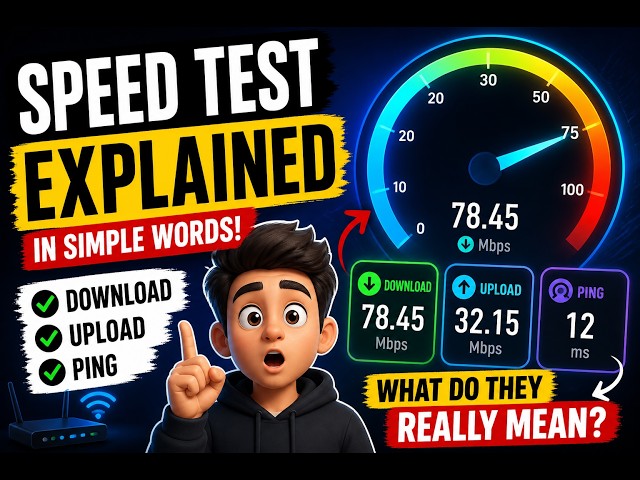
Once your test finishes, you'll see three main numbers, and understanding what each one means helps you actually use the results rather than just glance at them.
Download speed, measured in Mbps (megabits per second), tells you how fast data can flow from the internet to your device. This is the number that determines how quickly web pages load, how fast files download, and whether video streams in crisp quality without buffering.
Upload speed, also in Mbps, measures the reverse direction, how fast your device can send data out, which matters for video calls, uploading files to cloud storage, live streaming, and sending large email attachments.
Upload speeds are typically lower than download speeds on most residential connections in Belize, since most ISPs prioritize download bandwidth for the average household's browsing and streaming habits.
Ping, measured in milliseconds, is your connection's reaction time; the lower the number, the more responsive your connection feels for anything interactive.
A ping under 20ms is excellent, under 50ms is good for most uses including gaming, and anything consistently over 100ms will feel noticeably laggy in video calls or competitive online games. Jitter, also in milliseconds, measures how much your ping fluctuates between individual packets.
Even if your average ping looks fine, high jitter (say, swinging between 20ms and 150ms) causes choppy audio, frozen video frames, and dropped connections during calls, because the inconsistency is what your call software struggles to compensate for.
When you look at your results together, a fast download with high jitter suggests your connection is fine for downloading files but might frustrate you on Zoom calls, while a slower download with low, stable ping and jitter might still feel perfectly smooth for everyday browsing and calls, just not for large downloads or 4K streaming.
Typical Internet Speeds and ISPs Across Belize
Belize's internet landscape is shaped by its geography: dense population centers like Belize City, Belmopan, and San Ignacio generally have access to fiber and cable infrastructure, while more remote districts in Toledo, Corozal, and parts of Cayo often rely on fixed wireless or, in the most rural areas, satellite connections.
BTL (Belize Telemedia Limited) remains the largest and most established provider, offering DSL, fiber, and mobile data plans nationwide, with fiber increasingly available in urban neighborhoods and newer residential developments.
Speednet Communications has built out a competing fixed-wireless and fiber network, particularly strong in and around Belize City and northern districts, often praised for competitive pricing on higher-tier plans.
Digi (part of the BTL/DigiCell family) and other mobile carriers provide 4G and expanding coverage that many households and small businesses use as either a primary connection or a reliable backup when fixed broadband drops.
In practice, users in central Belize City or Belmopan on a fiber plan often see download speeds in the 30-100 Mbps range, while those on older DSL infrastructure or in outlying villages might realistically see 5-15 Mbps, and satellite users in the most remote cayes or southern villages sometimes see higher latency (200ms or more) even with reasonable download speeds, because satellite signals must travel much farther.
Tourism-heavy areas like San Pedro and Caye Caulker have made real investment in improving connectivity to support businesses, hotels, and remote workers, so speeds there have improved substantially in recent years, though they can still dip during peak tourist season when network demand spikes.
Running a speed test at different times of day gives you a realistic picture of what your specific address actually delivers, since advertised speeds are best-case scenarios, not guarantees.
Mobile Data vs Fixed Broadband in Belize
Many households and businesses in Belize rely on a mix of fixed broadband and mobile data, and understanding the tradeoffs helps you decide when to use which.
Fixed broadband, whether fiber, cable, or fixed-wireless from BTL or Speednet, generally delivers more consistent speeds and lower latency because your connection isn't sharing a cell tower with everyone else in the area simultaneously.
This makes it the better choice for anything that demands stability: video conferencing for remote work, online classes, streaming in HD or 4K, and multiplayer gaming.
Mobile data, by contrast, offers flexibility and portability that fixed lines can't match, letting you get online from a beach in Placencia or a work site in the Cayo District where fixed infrastructure hasn't reached yet.
However, mobile speeds fluctuate significantly based on how many people are connected to the same tower, your distance from it, and local terrain, meaning a 4G connection that tests fast at 7am might slow considerably by 7pm when everyone nearby is streaming or on social media.
Data caps and throttling are another consideration: many mobile plans in Belize reduce speed or charge overage fees after a certain data threshold, so a fast test result early in your billing cycle might not reflect what you get near the end of the month.
For businesses that depend on card payment processing, video calls with international clients, or cloud-based software, a wired fixed connection as the primary line with mobile data as backup is generally the most resilient setup.
Testing both your fixed connection and your mobile data separately, at the same time of day, gives you a clear, honest comparison of which one to trust for which task.
How to Get the Most Accurate Test Results
A speed test is only as useful as it is accurate, and a few simple habits make a real difference in getting numbers that reflect your true connection quality rather than temporary noise.
First, close other bandwidth-heavy applications before testing, things like cloud backup software, torrent clients, streaming apps, or other browser tabs playing video, since these compete for the same bandwidth and will drag your results down artificially.
Second, if possible, connect your device directly to your router with an Ethernet cable rather than over Wi-Fi; this isolates whether a slow result is coming from your ISP or from Wi-Fi interference and distance, which are two very different problems with two very different fixes.
Third, test at multiple times of day, especially during your household's peak usage hours (typically evenings between 6pm and 10pm), since ISPs in Belize, like anywhere, can experience congestion when many households are streaming or gaming simultaneously.
Fourth, run the test more than once and take the average or the most consistent result rather than trusting a single reading, since brief spikes or dips can happen due to momentary network conditions unrelated to your actual service quality.
Fifth, be aware of what device and browser you're using; older phones or heavily loaded computers with many background processes running can bottleneck the test itself rather than reflecting your true connection speed.
Finally, if you're on Wi-Fi, position yourself as close to the router as reasonably possible during the test, since walls, distance, and interference from other electronics or neighboring Wi-Fi networks all reduce the speed your device can actually pull from the router, even when your ISP is delivering full speed to that router.
Troubleshooting a Slow Connection
If your test results come back lower than expected, a systematic approach helps you pinpoint the actual cause rather than guessing.
Start by restarting your router and modem; it sounds basic, but a simple power cycle clears temporary memory buildup and resolves a surprising percentage of slowdowns, especially on equipment that's been running for weeks without a reboot.
Next, check how many devices are actively connected to your network; smart TVs, phones, laptops, gaming consoles, and IoT devices like smart cameras or thermostats all draw bandwidth even when you're not actively using them, and a household with a dozen connected devices will see very different speeds than one with just a couple.
If you're on Wi-Fi, try moving closer to the router or switching to the 5GHz band if your router supports it, since 5GHz offers faster speeds at shorter range while 2.
4GHz reaches farther but is more prone to congestion from neighboring networks and household electronics like microwaves.
Outdated router firmware or an aging router (more than four to five years old) can also silently cap your speeds well below what your ISP plan actually provides, so checking for firmware updates or considering a router upgrade is worth doing if problems persist.
If none of these fixes help, and your wired, single-device, low-traffic-hour test still shows speeds well below what you're paying for, that's a strong signal to contact your ISP directly with your test results in hand; concrete numbers, including the time of day and conditions of your test, make it much easier for BTL, Speednet, or your provider's support team to diagnose whether the issue is a line fault, equipment problem, or local network congestion in your area.
Comparing ISPs and Plans Using Speed Test Data
One of the most practical uses of a speed test is building a genuine comparison between providers before committing to a plan or deciding whether to switch.
Rather than relying on advertised "up to" speeds, which represent theoretical maximums under ideal conditions, testing a friend's or neighbor's connection on a different provider (with their permission, on their network) gives you real data about what that provider actually delivers in your area.
If you're a small business owner in Belize weighing BTL's fiber plans against Speednet's fixed-wireless offering, ask each provider whether you can trial the service, and run identical tests, same time of day, same wired setup, on each connection to get a fair comparison.
Pay attention not just to download speed but to upload speed and ping too, since a plan with slightly lower download but noticeably better upload and lower ping might actually serve a business that does video conferencing or cloud uploads better than a plan optimized purely for download throughput.
It's also worth testing your current plan's consistency over a week rather than judging from a single test; a provider that delivers a stable 20 Mbps around the clock is often more valuable in practice than one that peaks at 40 Mbps at 3am but drops to 8 Mbps during evening peak hours.
When comparing costs, calculate price per reliable Mbps rather than just the advertised top speed, since the actual, consistent number is what determines your day-to-day experience streaming, working, and browsing.
Keeping a simple log of test results, dates, times, and conditions over a month or two gives you concrete evidence if you ever need to negotiate with your provider, request a technician visit, or make the case for upgrading to a higher tier plan.
Speed Test for Streaming, Gaming, and Remote Work
Different online activities have very different bandwidth and latency requirements, so understanding your test results in context of what you actually do online helps you set realistic expectations.
For streaming, Netflix and similar services recommend around 3-5 Mbps for HD content and 15-25 Mbps for 4K, though these are per-stream figures, so a household streaming on three devices simultaneously needs to multiply accordingly.
Buffering during streaming is often less about raw download speed and more about jitter and momentary drops, so if your download test looks fine but streaming still stutters, check your jitter reading and consider a wired connection to your streaming device.
For online gaming, ping matters more than download speed for most competitive games; a connection with modest 15 Mbps download but consistent 20ms ping will generally feel far more responsive than a 100 Mbps connection with erratic 80ms ping, since gaming performance depends on how quickly your inputs reach the game server, not how much data you can pull at once.
For remote work and video conferencing, upload speed becomes just as important as download, since platforms like Zoom, Google Meet, and Microsoft Teams require a steady upload stream to send your video and audio out; a strong download but weak upload (common on many residential plans in Belize) can mean you see everyone else clearly while they experience your video freezing or dropping.
If you regularly work with large files, cloud storage, or video editing that requires uploading footage, prioritizing a plan with strong, symmetrical upload speeds, increasingly available through fiber connections in Belize's urban centers, will serve you better than simply chasing the highest advertised download number.
Belize's Growing Digital Infrastructure
Belize's internet infrastructure has undergone real, measurable investment over the past several years, with fiber optic expansion reaching further into residential neighborhoods in Belize City, Belmopan, and San Ignacio, and fixed-wireless technology filling gaps in areas where laying physical fiber cable isn't yet economical.
This expansion matters directly for anyone testing their speed today, because the baseline for "good" internet in Belize has shifted meaningfully upward compared to just five years ago, when DSL connections under 10 Mbps were the norm for most households outside the capital.
Government and private-sector initiatives to support digital tourism, remote work, and small business e-commerce have accelerated this build-out, particularly in coastal and tourist-heavy areas that depend on reliable connectivity for bookings, payments, and communication with international visitors.
That said, infrastructure quality still varies block by block in some neighborhoods, since fiber rollout tends to prioritize newer developments and higher-density areas first, leaving some older or more rural pockets waiting longer for upgrades.
Submarine cable connectivity, which links Belize's national network to the wider internet backbone, also plays a role in overall performance; congestion or maintenance on these international links can occasionally affect speeds nationwide, even when your local ISP infrastructure is functioning perfectly.
Staying aware of this bigger picture helps explain why your speed test results might occasionally dip even without any obvious local cause, and why periodically retesting is worthwhile as Belize's networks continue to expand and improve over time.
For residents and businesses planning ahead, tracking your own speed test history alongside publicly known infrastructure investments in your district can help you time decisions like signing a new contract or upgrading equipment around real improvements rather than marketing promises.
Privacy, Accuracy, and Why No Signup Is Required
This tool is built to be genuinely free and frictionless: there's no account to create, no email to submit, and no app to download, because a speed test should be something you can run in seconds whenever you need it, not a lead-generation exercise.
All measurements happen directly between your browser and the test infrastructure in real time; nothing about your test needs to be tied to a stored profile for the results to be accurate.
Your approximate location and ISP name are detected automatically from your connection's public network information purely to give context to your results, for example, confirming you're testing against a nearby server for accuracy, and to help you understand which provider and general area your numbers apply to, which is especially useful if you test from multiple locations, like home and a workplace or hotel in Belize.
Because the test uses your device's real connection to real servers rather than simulating results, the numbers you see reflect genuine, real-time network performance rather than an estimate or a cached value.
This also means results can vary slightly between consecutive tests, which is normal and expected, since networks are dynamic systems affected by everything from weather on wireless links to how many neighbors are streaming video at that exact moment.
Running the test whenever you have a concern, without worrying about signup friction or data privacy tradeoffs, means you can build a genuine, ongoing picture of your connection's real-world performance over time, which is far more useful than a single, one-off number.
Frequently Asked Questions
How do I test my internet speed in Belize for free?
Just click the start button on this page. The tool runs entirely in your browser, needs no app or account, and within about 20-30 seconds shows your download speed, upload speed, ping, and jitter, along with your detected ISP and approximate location in Belize.
What is a good internet speed in Belize?
For general browsing and streaming, 15-25 Mbps download is comfortable. Households with multiple streaming devices or remote workers should aim for 50-100 Mbps. Ping under 50ms and jitter under 10ms are ideal for video calls and online gaming.
Why is my internet slower than what I'm paying for?
Common causes in Belize include Wi-Fi congestion, an outdated router, too many connected devices, peak-hour network congestion shared with neighbors, or throttling on mobile data. Testing with a wired connection close to the router isolates whether the issue is your Wi-Fi or your ISP.
Does this speed test cost anything or use a lot of data?
No, the test is completely free and typically uses only 20-100 MB depending on your connection speed, since faster connections transfer more data during the timed test window. There is no signup, download, or installation required.
Which is Belize's fastest internet provider?
BTL and Speednet both offer fiber and fixed-wireless plans in urban centers like Belize City, Belmopan, and San Ignacio, generally outperforming rural DSL or satellite options. Actual speeds vary by neighborhood infrastructure, so running your own test is the only way to know for certain.
Why does my ping spike or jitter get high during video calls?
High jitter usually means inconsistent network timing, often caused by Wi-Fi interference, background downloads competing for bandwidth, or an overloaded router. Wired Ethernet connections and closing background apps like cloud backups or streaming services typically stabilize ping and jitter significantly.
Is mobile data or fixed broadband better for testing and daily use in Belize?
Fixed broadband (fiber, cable, or fixed-wireless) generally gives more stable speeds and lower latency for work-from-home and streaming, while mobile data is convenient but fluctuates with tower congestion and signal strength. Testing both separately shows which is more reliable for your actual location.
How often should I test my internet speed?
Test whenever you notice buffering, dropped video calls, or slow downloads, and periodically (weekly or monthly) to track consistency over time. Testing at different times of day, especially evenings when usage peaks, gives a fuller picture of your real-world speed.
Can I use this speed test on my phone?
Yes, the tool works on any modern mobile browser on Android or iOS without needing to install an app. This makes it easy to compare your home Wi-Fi speed against your mobile carrier's data speed side by side.