 Free Internet Speed Test for South Africa – Check WiFi & Mobile Speed Instantly
Multi opens several parallel connections (closer to real-world browsing/streaming). Single uses one connection (shows the ceiling of a single stream/download).
Press GO to start your free speed test.
Your Network Details
Approximate location based on your public IP address not your precise GPS position.
Your Test History
| Time | Download (Mbps) | Upload (Mbps) | Ping (ms) | Jitter (ms) |
|---|
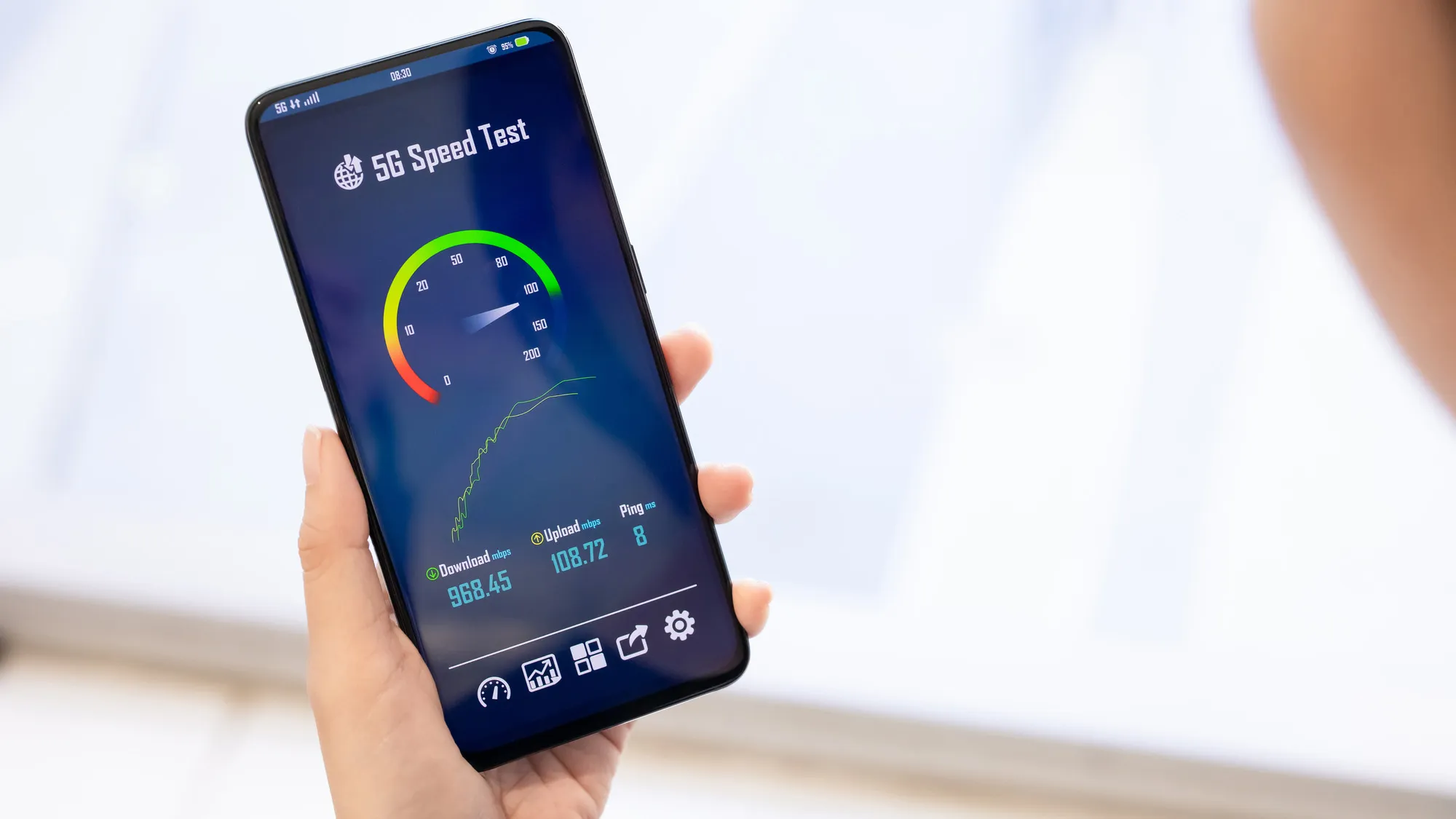
Whether you're on Vodacom fibre in Johannesburg, an MTN LTE connection in Durban, or Telkom ADSL in a small town, our free internet speed test tells you exactly what speed you're really getting. No downloads, no signup, no waiting just tap start and see your results in real time.
Key Takeaways
- South Africa's internet landscape has changed dramatically over the past few years, with fibre rollouts from Openserve, Vumatel, Frogfoot, and MetroFibre reaching more suburbs, while LTE and 5G mobile networks from Vodacom, MTN, Telkom, and Cell C fill the gaps in areas without fixed-line infrastructure.
- Unlike apps that need installation or plugins, this tool runs entirely inside your web browser using modern web technology, so it works identically whether you're on a Windows laptop, a Mac, an Android phone, or an iPhone.
- Raw numbers only mean something once you know what to compare them against.
- South Africa's connectivity varies enormously depending on where you live and which infrastructure reaches your address.
- Getting a result that reflects your true connection quality takes a bit of setup.
- If your speed test results consistently fall short of what you're paying for, work through the likely causes systematically rather than guessing.
- With so many fibre resellers now competing on the same underlying infrastructure, speed test results are one of the few genuinely objective ways to compare providers, since companies like Afrihost, WebAfrica, RSAWEB, Cool Ideas, Vox, and Axxess often ride the same Openserve, Vumatel, or MetroFibre network but differ in how they manage congestion, contention ratios, and peak-time throttling.
- Choosing between mobile data and fixed broadband, or deciding whether you need both, comes down to understanding how differently they behave under load.
Why Run an Internet Speed Test in South Africa
South Africa's internet landscape has changed dramatically over the past few years, with fibre rollouts from Openserve, Vumatel, Frogfoot, and MetroFibre reaching more suburbs, while LTE and 5G mobile networks from Vodacom, MTN, Telkom, and Cell C fill the gaps in areas without fixed-line infrastructure.
But having a package on paper and actually receiving that speed are two very different things. A speed test gives you hard evidence of what your connection is doing right now, not what your contract promises. This matters for a few concrete reasons.
First, load shedding and the resulting network congestion during peak recovery periods can quietly throttle your real-world throughput even when your router shows a full signal.
Second, many South African households share a single line across several people working from home, streaming Netflix or DStv Now, and gaming online, so knowing your baseline speed helps you understand whether slowdowns are a capacity issue or a fault.
Third, if you're paying for a 50Mbps, 100Mbps, or 1Gbps fibre package, running a test is the only way to hold your ISP accountable and support a fault query with actual numbers.
Whether you're troubleshooting buffering during a rugby stream, deciding if you can handle a Teams call and a video upload at the same time, or simply curious how your connection stacks up against neighbours on the same fibre node, a quick test gives you the full picture in under a minute.
How This Speed Test Actually Works
Unlike apps that need installation or plugins, this tool runs entirely inside your web browser using modern web technology, so it works identically whether you're on a Windows laptop, a Mac, an Android phone, or an iPhone.
When you hit start, the test first measures ping by sending small data packets to a nearby test server and timing how long the round trip takes in milliseconds this is your latency.
It then sends a rapid burst of these tiny packets to calculate jitter, which is the variation in that latency from one packet to the next; consistent timing means a stable connection, while erratic timing signals congestion or interference.
Next comes the download phase, where the tool opens multiple parallel connections to a server and streams data to your device, measuring how many megabits arrive per second while accounting for TCP ramp-up so the number reflects sustained throughput rather than a misleading initial burst.
The upload phase mirrors this process in reverse, pushing data from your device back to the server to measure how quickly you can send information, which matters enormously for video calls, cloud backups, and uploading content.
Throughout all of this, animated charts update live so you can watch your speed climb and stabilise rather than staring at a blank screen waiting for a final number.
Because the test uses your actual IP address and network path, it also detects your ISP name and an approximate location, giving context to your results without requiring you to type anything in.
How to Interpret Your Mbps, Ping, and Jitter Results
Raw numbers only mean something once you know what to compare them against.
Download speed, measured in Mbps (megabits per second), determines how quickly pages load, videos buffer, and files download; for reference, 1080p Netflix streaming needs roughly 5Mbps, 4K needs about 25Mbps, and a household running multiple devices simultaneously should have at least 50-100Mbps to avoid contention.
Upload speed matters more than people realise for South African users doing remote work, since video conferencing on Zoom or Teams typically needs 3-5Mbps upload just for one clear video call, and uploading large files to cloud storage or content to social platforms will crawl on the asymmetric upload speeds common with older ADSL and some LTE plans.
Ping, measured in milliseconds, reflects responsiveness rather than raw throughput: under 20ms is excellent and typical of local fibre connections to a nearby data centre, 20-50ms is good for most fibre and quality LTE, 50-100ms is noticeable but workable, and anything above 150ms common on satellite links or congested rural mobile towers will cause visible lag in video calls and make competitive online gaming frustrating.
Jitter should ideally sit below 5-10ms; higher jitter causes choppy audio on VoIP calls and stuttering video even when your download speed looks fine, because it means your data isn't arriving at a steady, predictable rate.
When reading your results, always look at all four numbers together rather than fixating on download speed alone, since a connection with fast downloads but high ping and jitter will still feel unreliable for real-time applications.
Typical Internet Speeds and Connectivity in South Africa
South Africa's connectivity varies enormously depending on where you live and which infrastructure reaches your address.
In major metros like Johannesburg, Cape Town, Durban, and Pretoria, fibre-to-the-home has expanded rapidly, with providers like Vumatel, Openserve, MetroFibre, and Frogfoot laying infrastructure that ISPs such as Afrihost, WebAfrica, Cool Ideas, RSAWEB, and Axxess resell to consumers, often offering uncapped packages from 20Mbps up to 1Gbps at increasingly competitive prices.
In these areas, fibre users regularly see download speeds close to their subscribed rate with ping under 15ms to local servers.
Outside fibre footprints, many households still rely on ADSL over Telkom copper lines, which realistically delivers 4-40Mbps depending on line quality and distance from the exchange, or on fixed-LTE and 5G home internet from Vodacom, MTN, Telkom, and Rain, which can deliver anywhere from 10Mbps to over 100Mbps but is more sensitive to network congestion, weather, and tower load during peak hours.
Mobile data on smartphones tells a similar story: 4G/LTE coverage is now widespread even in smaller towns, with 5G rolling out steadily in Johannesburg, Cape Town, Pretoria, and Durban, though actual speeds swing wildly based on tower congestion, time of day, and how many bars of signal you actually have.
Rural and peri-urban areas without fibre or strong mobile coverage sometimes still depend on satellite internet or shared community WiFi, where speeds and latency lag well behind urban benchmarks.
Running regular speed tests across these different connection types helps you understand not just your own household's performance but how South Africa's uneven digital infrastructure genuinely affects day-to-day internet use.
Tips to Get Faster, More Accurate Speed Test Results
Getting a result that reflects your true connection quality takes a bit of setup. Start by closing background applications and browser tabs that silently consume bandwidth, including cloud backup tools, auto-updating apps, streaming services left open on other devices, and torrent clients.
If you're testing WiFi specifically, sit as close to the router as possible with a clear line of sight, since walls, floors, and even large appliances like fridges can meaningfully cut your signal strength; for the most accurate read of your actual line speed, connect a laptop directly to the router with an ethernet cable and test that first, then compare against WiFi to see how much your wireless setup is costing you.
Restarting your router before testing clears temporary congestion and refreshes its connection to your ISP's network, and it's worth checking that your router firmware is up to date since outdated firmware can cap throughput unnecessarily.
Time of day matters too: South African networks, particularly LTE and fixed-wireless, tend to slow during evening peak hours between 6pm and 10pm when household usage spikes across the neighbourhood, so testing at different times gives you a fuller picture rather than a single snapshot.
Finally, run the test two or three times and look at the average rather than trusting a single result, since momentary network blips, other devices waking up, or a background download starting mid-test can all skew one reading without reflecting your connection's normal behaviour.
Troubleshooting a Slow Connection
If your speed test results consistently fall short of what you're paying for, work through the likely causes systematically rather than guessing.
Start with the simplest fix: power-cycle your router and modem, leaving them off for a full 30 seconds, since this clears memory leaks and forces a fresh connection to your ISP that often resolves gradual slowdowns.
Next, check how many devices are actively using your network; smart TVs, security cameras, and IoT devices often run background updates or continuous streams you're not actively aware of, and a household with a dozen connected devices can bottleneck even a decent fibre line.
If you're on WiFi, try switching your router's frequency band the 5GHz band is faster at short range but loses strength through walls, while 2.
4GHz travels further but is more prone to interference from neighbouring routers, microwaves, and Bluetooth devices, so testing both can reveal an easy fix.
For fibre users, a persistently poor result despite a strong local setup often points to an issue on the ISP or fibre network provider's side, particularly after storms, cable theft (unfortunately common in parts of South Africa), or maintenance work, so check your ISP's status page or social media before assuming the fault is yours.
Mobile and fixed-LTE users experiencing slow speeds should check signal bars alongside network type displayed in their phone's status bar, since dropping from 5G or 4G to 3G signals a coverage or congestion issue rather than a device problem.
If none of this helps, running a speed test at different times of day and keeping a simple log of results gives you concrete evidence to escalate a fault report or complaint with your provider, since South African ISPs typically respond faster to documented, repeated evidence than a single vague complaint about 'slow internet'.
Comparing South African ISPs Using Speed Test Data
With so many fibre resellers now competing on the same underlying infrastructure, speed test results are one of the few genuinely objective ways to compare providers, since companies like Afrihost, WebAfrica, RSAWEB, Cool Ideas, Vox, and Axxess often ride the same Openserve, Vumatel, or MetroFibre network but differ in how they manage congestion, contention ratios, and peak-time throttling.
Running consistent tests over a week or two, especially during evening peak hours, reveals whether a provider is genuinely delivering close to advertised speeds or oversubscribing its network capacity, which shows up as speeds that tank specifically between 7pm and 10pm even though midday tests look perfect.
For mobile networks, comparing Vodacom, MTN, Telkom Mobile, and Cell C in your specific suburb matters more than national coverage maps suggest, since actual tower capacity and backhaul quality vary block by block; a friend's excellent MTN speed in Sandton says little about your experience in a different part of the city.
If you're deciding between providers before signing a contract, ask friends or neighbours on the same street to share their speed test results from the exact package you're considering, since this bypasses marketing claims entirely.
It's also worth noting that many ISPs publish real-user speed statistics or participate in independent measurement reports; cross-referencing your own results against these broader datasets helps you judge whether a slow test result is a local issue worth troubleshooting or simply reflects that provider's typical performance in your area.
Mobile Data vs Fixed Broadband in South Africa
Choosing between mobile data and fixed broadband, or deciding whether you need both, comes down to understanding how differently they behave under load.
Fixed fibre and ADSL connections offer dedicated, consistent bandwidth to your home that doesn't fluctuate based on how many other people are nearby, making them the far more predictable choice for households doing video calls, large uploads, or multiple simultaneous streams.
Mobile data and fixed-LTE, by contrast, share capacity across an entire cell tower with everyone else connected to it, meaning your actual speed can drop noticeably during commute hours, sporting events, or public holidays when tower usage spikes, even if your signal bars look full.
This shared-capacity nature is also why mobile speed test results tend to show more variation between runs than fibre, and why testing your mobile connection at different times of day gives a much more honest picture than a single test.
For many South Africans, particularly in areas without fibre access, fixed-LTE or 5G home routers have become the practical alternative to ADSL, often significantly cheaper to install and faster to activate since there's no cabling required, though data caps and fair-usage throttling on some packages mean heavy users should check the fine print carefully.
A growing number of households now run a hybrid setup: fibre or fixed-LTE for the home, with mobile data as backup during outages or load shedding when a router's battery backup runs flat.
Testing both connection types separately, rather than assuming your phone's mobile speed matches your home WiFi, helps you plan realistically for remote work, streaming, and everyday browsing depending on which network you're actually using at a given moment.
Speed Test Results and Load Shedding in South Africa
Load shedding remains a uniquely South African factor affecting internet performance that users elsewhere rarely need to consider.
When power cuts hit, fibre routers and ONT devices without battery backup drop offline entirely, but even with backup power at home, the broader network can slow down as ISPs' regional infrastructure, exchanges, and mobile towers switch to generators or batteries under strain across an entire suburb or town simultaneously.
This is why speed tests run during or immediately after a load shedding stage often show elevated ping, increased jitter, and reduced throughput compared to normal conditions, even on connections that are usually rock solid.
Mobile networks feel this especially hard, since a single cell tower serves a wide radius, and when its backup battery depletes during extended stage 4 or higher load shedding, everyone in that coverage area competes for a shrinking pool of capacity from neighbouring towers still online.
If you notice your speed test results dip predictably around scheduled load shedding slots, this is a strong sign the cause is external infrastructure strain rather than a fault with your own line or router, and it's worth checking your municipality's load shedding schedule alongside your test history to confirm the pattern.
Investing in an uninterruptible power supply (UPS) for your router and ONT is one of the few things within your control, keeping your local equipment powered even when the wider network around you is under strain, which at minimum keeps you connected to whatever bandwidth remains available.
Testing on Different Devices: Laptop, Phone, and Smart TV
The device you use to run a speed test can itself influence the result, so it's worth understanding these differences before assuming a number reflects your whole network.
Modern laptops with good WiFi adapters (WiFi 6 or 6E) can pull significantly more throughput over wireless than an older phone or budget Android device with an outdated WiFi chip, meaning two devices on the identical network, sitting in the same room, can report genuinely different speeds.
Smart TVs and streaming boxes often have particularly weak WiFi antennas since manufacturers prioritise cost over radio quality, so if your TV is buffering while your phone streams fine on the same WiFi, the TV's hardware not your internet plan is usually the limiting factor.
For the most reliable benchmark of what your ISP is actually delivering, test from a laptop or desktop connected via ethernet cable directly to your router, since this removes wireless variables entirely from the equation.
When testing on mobile, remember that switching between WiFi and mobile data gives completely different results because you're testing two entirely separate networks, so always check which one your phone is actually connected to before comparing numbers, since a phone can silently fall back to mobile data if WiFi signal weakens even while showing you're 'connected' to WiFi in settings.
When to Contact Your ISP About Speed Test Results
Not every disappointing speed test warrants a support call, but certain patterns are worth escalating.
If your results consistently sit below 50% of your subscribed package speed across multiple tests, at different times of day, on a device connected directly via ethernet cable, this is solid evidence of a genuine service issue rather than local WiFi interference or device limitations, and most South African ISPs will investigate a documented fault query with this kind of data.
Before calling, gather at least three to five test results with timestamps, note whether the drop coincides with load shedding stages or peak evening hours, and check your ISP's public status page or Twitter/X account for known outages in your area, since providers often post real-time updates during fibre cuts or maintenance windows.
When you do contact support, sharing specific numbers your ping, download, upload, and jitter readings alongside your package's advertised speed gets you taken seriously far faster than a general complaint about slowness, and many ISPs will ask for exactly this data as a first troubleshooting step anyway.
Keep in mind that South African fibre contracts typically guarantee a percentage of your subscribed speed (often 80-100% during off-peak, lower during contended peak hours), so understanding your specific contract terms helps you know what a legitimate complaint looks like versus normal, expected variation.
Persistent issues despite router restarts, ethernet testing, and confirmed no local outages are the clearest sign a technician visit or line diagnostic is genuinely needed.
Frequently Asked Questions
How do I test my internet speed in South Africa for free?
Simply open the speed test page in any browser on your phone, laptop, or desktop and tap Start. No app install or signup is needed. Within seconds it measures your ping, jitter, download speed, and upload speed and displays your ISP and approximate location automatically.
What is a good internet speed in South Africa?
For general browsing and streaming, 25-50Mbps download is comfortable. Fibre users on uncapped 100Mbps-1Gbps packages from providers like Vodacom, Afrihost, or WebAfrica should see speeds close to their subscribed rate. For gaming or busy households, aim for 100Mbps or more with ping under 30ms.
Why is my WiFi speed test slower than my fibre package?
WiFi results are affected by router placement, distance, wall interference, and how many devices share the network. Test with an ethernet cable directly into your router to see your true line speed, then compare it against your WiFi speed test to isolate where the slowdown is happening.
What is ping and why does it matter for gaming and video calls?
Ping is the time in milliseconds it takes data to travel to a server and back. Under 20ms is excellent for gaming, 20-50ms is good, and anything above 100ms causes noticeable lag in calls and online games, which is common on satellite links or congested mobile towers.
Why does my mobile data speed vary so much between tests?
Mobile networks share capacity across an entire cell tower, so your speed depends heavily on how many other people are connected nearby and the time of day. Testing during evening peak hours between 6pm and 10pm typically shows lower speeds than testing at midday.
Does load shedding affect my internet speed test results?
Yes. When power cuts hit, ISPs' regional infrastructure and mobile towers often switch to generators or battery backup under strain, which can raise ping, increase jitter, and reduce throughput even on connections that are normally stable. A UPS for your router helps keep your local link online.
Should I test on WiFi or with an ethernet cable?
For the most accurate reading of what your ISP is actually delivering, connect your device directly to the router with an ethernet cable. Then run a separate WiFi test to see how much speed your wireless setup is losing due to distance or interference.
What is jitter and why should I care about it?
Jitter measures how much your ping fluctuates between data packets. High jitter causes choppy audio on calls and stuttering video even when your download speed looks fine, because your data isn't arriving at a steady, predictable rate. Aim for jitter under 5-10ms.
How often should I run a speed test?
Run a test whenever you notice slowdowns, and ideally a few times across different times of day, including evening peak hours, to build an accurate picture. Keeping a simple log of results makes it much easier to spot patterns and support a fault report with your ISP.
Can I use this speed test on my phone without installing an app?
Yes. The test runs entirely in your mobile browser, whether you're on Android or iPhone, using either WiFi or mobile data. There is nothing to download or install, and no account or signup is required to see your results.