 Free Internet Speed Test for Namibia Check Your Download, Upload, Ping and Jitter Instantly
Multi opens several parallel connections (closer to real-world browsing/streaming). Single uses one connection (shows the ceiling of a single stream/download).
Press GO to start your free speed test.
Your Network Details
Approximate location based on your public IP address not your precise GPS position.
Your Test History
| Time | Download (Mbps) | Upload (Mbps) | Ping (ms) | Jitter (ms) |
|---|
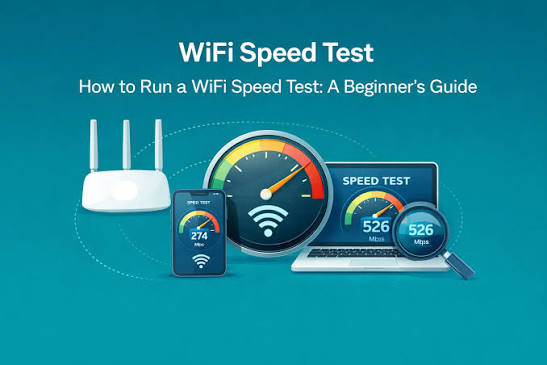
Whether you're on Telecom Namibia fibre in Windhoek, MTC mobile data in Swakopmund, or a fixed-wireless link out in Oshakati, this free browser-based speed test gives you an accurate, real-time read on your connection in under a minute, no downloads, no signup, no hassle.
Key Takeaways
- Namibia's internet landscape is a mix of expanding urban fibre, mobile broadband from MTC and TN Mobile, satellite services like Starlink reaching remote farms and lodges, and legacy ADSL and fixed-wireless links still serving many households and small businesses outside the main centres.
- This tool runs entirely inside your web browser using modern web technology, so there's nothing to install and nothing left behind afterward.
- Once your test finishes, you'll see four numbers, and each one tells a different part of the story.
- Namibia's internet speeds vary widely by region and connection type.
- For many Namibians, mobile data is the primary or only way online, and it comes with its own set of trade-offs compared to fixed fibre or ADSL.
- Before you conclude your connection is underperforming, a few adjustments can make a real difference.
- If your speed test results consistently fall well below what you're paying for, work through a logical checklist before assuming the worst.
- With several options now available across Namibia, from Telecom Namibia's fibre and ADSL products to MTC and TN Mobile's mobile and home internet packages, and newer entrants like satellite providers expanding coverage into previously underserved areas, comparing real-world performance matters more than comparing brochures.
Why Run a Speed Test in Namibia
Namibia's internet landscape is a mix of expanding urban fibre, mobile broadband from MTC and TN Mobile, satellite services like Starlink reaching remote farms and lodges, and legacy ADSL and fixed-wireless links still serving many households and small businesses outside the main centres.
With such a varied mix of infrastructure, the speed you actually get can differ enormously from what's advertised, and it can vary from one neighbourhood to the next within the same city.
Running a speed test is the fastest way to know exactly what you're working with right now, rather than relying on a number printed on a contract months ago.
If you're paying for a 20 Mbps fibre package but only getting 6 Mbps, you want proof before calling your provider. If you're deciding between two ISPs for a new home or office, real numbers beat marketing claims.
And if video calls keep freezing during a work meeting, a quick test tells you in seconds whether the problem is your download speed, your upload speed, or an unstable connection with high ping and jitter.
For freelancers, remote workers, students doing online coursework, and small businesses that depend on cloud tools, knowing your true internet speed isn't a nice-to-have, it's essential for planning your day around what your connection can actually handle.
A speed test also gives you a paper trail: screenshot your results over a week and you have concrete evidence to bring to your ISP's support desk instead of a vague complaint about things feeling slow.
How This Speed Test Tool Actually Works
This tool runs entirely inside your web browser using modern web technology, so there's nothing to install and nothing left behind afterward.
When you click start, it first measures ping by sending a series of very small data packets to a nearby test server and timing how long each round trip takes, this happens dozens of times in quick succession.
From those repeated measurements it also calculates jitter, the variation between individual ping times, which matters far more than most people realise for anything live, like video calls or online gaming.
Next, the tool opens multiple simultaneous connections to download a stream of data and measures exactly how much arrives per second, this becomes your download speed, expressed in megabits per second, or Mbps.
It then reverses the process, sending data from your device back to the server to measure your upload speed.
Throughout the whole process, animated charts update in real time so you can watch your speed ramp up, stabilise, and settle on a final number rather than just staring at a spinner.
Behind the scenes, the tool also detects your ISP and an approximate location using your connection's network information, which is how you'll see, for example, 'MTC' or 'Telecom Namibia' labelled next to your result without having to type anything in.
Because everything happens locally in your browser using standard web protocols, there's no app to download, no account to create, and no personal data required, you get a clean, private, one-tap test every time.
How to Read Your Mbps, Ping and Jitter Results
Once your test finishes, you'll see four numbers, and each one tells a different part of the story.
Download speed, measured in Mbps, reflects how quickly data can travel from the internet to your device, this is what determines how fast a webpage loads, how smoothly a video streams, or how long a file takes to download.
Upload speed measures the reverse, data leaving your device, which matters most for video calls, uploading photos or documents to cloud storage, and live streaming.
Many Namibian connections, particularly ADSL and some mobile plans, have upload speeds far lower than download speeds, so if video calls are choppy even though downloads feel fast, your upload number is usually the culprit.
Ping, measured in milliseconds, tells you how responsive your connection is, lower numbers mean less delay between an action and a response, which is critical for gaming, video calls, and anything interactive.
As a rough guide, under 20ms is excellent, 20-50ms is good for most uses including gaming, 50-100ms is acceptable for browsing and streaming but noticeable in calls, and above 150ms will feel laggy in real-time applications.
Jitter, also in milliseconds, shows how consistent that ping is. A connection with a decent average ping but high jitter will still feel unreliable, calls will stutter and games will feel unpredictable even though the average number looks fine.
When judging your results, always compare them against what you're actually paying for, and remember that a single test is a snapshot, not the full picture, run it a few times across the day for a fair assessment.
Typical Internet Speeds and Providers in Namibia
Namibia's internet speeds vary widely by region and connection type.
In Windhoek, Swakopmund, Walvis Bay, and other larger towns, fibre-to-the-home services from Telecom Namibia and other providers can deliver anywhere from 10 Mbps up to 100 Mbps or more on premium packages, with upload speeds that are often symmetrical or close to it on newer fibre plans, a major advantage over older technologies.
Mobile data from MTC and TN Mobile covers the majority of the population and typically delivers anywhere from 5 Mbps to 40 Mbps depending on whether you're on 3G, 4G LTE, or in an area with newer network upgrades, with speeds dropping noticeably during peak evening hours when networks are congested.
In more rural and remote parts of the country, including farming areas, conservancies, and lodges far from town centres, fixed-wireless and satellite internet, increasingly including Starlink, have become the practical choice, often delivering respectable download speeds but with higher and more variable ping than fibre due to the nature of satellite or long-range wireless links.
ADSL, while being phased out in favour of fibre in many areas, still serves some older buildings and businesses, generally topping out well below what modern fibre offers.
Because Namibia's population is spread across a huge geographic area with pockets of dense infrastructure separated by long distances, your experience can differ dramatically depending on which suburb, town, or region you're in, even with the same provider, which is exactly why testing your own specific connection matters more than looking up national averages.
Mobile Data vs Fixed Broadband in Namibia
For many Namibians, mobile data is the primary or only way online, and it comes with its own set of trade-offs compared to fixed fibre or ADSL.
Mobile networks share capacity among everyone connected to the same tower, so your speed can drop significantly during busy periods, evenings, weekends, or when a lot of people gather in one place.
Distance from the tower, the number of walls between you and outdoor signal, and whether you're on 3G versus 4G LTE all play a big role in your results.
Fixed broadband, by contrast, delivers a dedicated line into your home or office, so your speed is generally far more consistent regardless of the time of day, though it depends heavily on whether fibre has actually reached your area yet.
If you're deciding between the two, or juggling both as many households do, a mobile hotspot as backup for a fibre line, running the speed test on each option separately gives you a clear, honest comparison rather than guesswork.
It's also worth testing your mobile connection in different spots around your home or office, since signal strength can vary noticeably from one room to another, and a small change in position can mean a meaningfully faster or slower result.
For anyone running a business or working remotely, understanding these differences helps you choose the right connection for the right task, fixed broadband for heavy uploads and video conferencing, mobile data as a flexible backup when the primary line goes down.
Tips to Improve Your Speed Test Results
Before you conclude your connection is underperforming, a few adjustments can make a real difference.
Move closer to your router or, better yet, connect via an ethernet cable for the most accurate wired reading, wifi signal degrades with distance and through walls, so a wifi speed test from the far end of the house will always look worse than the connection actually is.
Close background apps and browser tabs that might be silently using bandwidth, cloud backups, auto-updating software, and streaming devices left running in another room can all eat into your available speed without you realising it.
Restart your router periodically, routers left running for weeks or months can slow down as memory fills up with cached data, a simple restart often restores lost performance.
Check how many devices are connected to your network at once, smart TVs, phones, laptops, and IoT devices all compete for the same bandwidth, and a household with a dozen connected devices will see very different results than one with two.
If you're on wifi, consider your router's position, placing it centrally, off the floor, and away from thick walls or metal objects noticeably improves signal reach. For mobile data users, moving near a window or outdoors, away from concrete walls, can boost signal strength significantly.
Finally, always test at different times of day, testing only during peak evening hours will consistently show your worst-case speed, while a midday test shows more of your connection's true ceiling.
Troubleshooting a Slow Connection
If your speed test results consistently fall well below what you're paying for, work through a logical checklist before assuming the worst.
Start by testing with a wired ethernet connection if possible, this immediately tells you whether the issue is wifi-related or affects your whole connection.
Next, check whether the slowdown happens at specific times, if it's worst every evening between 6 and 10pm, that points to network congestion on your ISP's side or your local tower, rather than a fault with your own equipment.
Test on a different device, if one phone or laptop consistently underperforms while others are fine, the problem likely sits with that device's wifi adapter or settings rather than your internet plan.
Look at your router's age and condition, older routers, especially those provided years ago by an ISP, often can't handle modern speeds even if the line itself supports them, and a firmware update or hardware upgrade can unlock speeds you're already paying for but not receiving.
If you're on satellite or fixed-wireless, check for physical obstructions, new trees, buildings, or even weather can interfere with the line of sight these connections depend on.
Keep a simple log of your speed test results with dates, times, and connection type, this is the single most persuasive piece of evidence when you do need to contact your ISP's support team, as it moves the conversation from 'it feels slow' to 'here's proof it drops below the promised speed every night at 7pm.
'
Comparing ISPs and Choosing the Right Plan
With several options now available across Namibia, from Telecom Namibia's fibre and ADSL products to MTC and TN Mobile's mobile and home internet packages, and newer entrants like satellite providers expanding coverage into previously underserved areas, comparing real-world performance matters more than comparing brochures.
Before switching providers or upgrading a plan, run the speed test on your current connection at several different times over a few days to establish a genuine baseline, then compare that against the advertised speeds of any plan you're considering rather than trusting marketing numbers alone.
If you know someone on a different provider nearby, ask them to run the same test, this gives you a like-for-like comparison of real conditions in your area rather than relying on general reviews from other parts of the country.
When comparing plans, don't focus on download speed alone, if you regularly upload large files, host video calls, or run a business that relies on cloud services, upload speed and ping matter just as much, and some providers that advertise strong download numbers are noticeably weaker on the upload side.
Also factor in reliability alongside raw speed, a plan that delivers a slightly lower but rock-steady speed is often more useful day to day than one with a higher peak but frequent drop-outs.
Data caps and fair-use policies are another consideration many people overlook, a fast connection that throttles hard after a certain usage threshold each month will feel fast at first and frustratingly slow later in the billing cycle.
Speed Test Accuracy: What Can Affect Your Results
No speed test, this one included, can perfectly isolate every variable, so it helps to understand what can influence a result beyond your actual internet plan.
The test server's distance and load matter, results measured against a server further away or under heavy demand will naturally show somewhat higher ping than one nearby with spare capacity.
Your device itself plays a role too, older phones and laptops with outdated wifi chips or heavy background processing can bottleneck a result even on a fast connection.
Network conditions shared with neighbours matter as well, particularly for fixed-wireless, satellite, and mobile connections where you're sharing infrastructure with many other users in your area, results can shift noticeably based on what everyone else nearby is doing at that exact moment.
Browser choice and open tabs can have a small but real impact, a browser bogged down with extensions and dozens of open tabs won't report quite as cleanly as a fresh session.
None of this means the test is unreliable, it means that, like any measurement tool, it's most useful when you run it a few times under similar conditions and look at the pattern rather than treating a single result as gospel.
If you see one unusually low reading, try again a minute later before assuming something is broken, brief dips are normal on almost every type of connection.
Getting the Most Out of This Free Tool
This speed test was built to be genuinely useful for everyday situations in Namibia, not just a novelty number to glance at once.
Bookmark it and run it whenever something feels off, before a big video call, after moving to a new home or office, or right after your ISP tells you they've 'resolved an issue' on their end, so you can verify it yourself rather than taking their word for it.
Because it requires no signup and no app install, there's zero friction to running it repeatedly, which is exactly what gives you the clearest picture over time, a single test tells you a moment, a week of tests tells you a trend.
The automatic ISP and location detection means you don't need to manually note which provider or connection you were using each time, making it easy to build a simple comparison if you switch between wifi and mobile data throughout the day.
Share your results with family members or colleagues on the same network to help pinpoint whether a slowdown affects the whole household or just one device.
And if you're setting up new equipment, a new router, a mesh wifi system, or a fresh fibre installation, testing immediately after setup gives you a benchmark to compare against later if performance ever seems to drift.
Ultimately, the goal is simple: give you fast, honest, no-nonsense visibility into your internet connection, whenever and wherever in Namibia you need it.
Frequently Asked Questions
How do I test my internet speed in Namibia for free?
Just open the speed test page and tap the start button. Within about 20-30 seconds it measures your ping, jitter, download speed, and upload speed using animated real-time charts, no signup, no app install, and no personal details required. It works on any modern browser, whether you're on TN Mobile, MTC, or a fibre line in Windhoek.
What is a good internet speed in Namibia?
For everyday browsing and streaming, 10-25 Mbps download is comfortable. For HD video calls, multiple devices, or 4K streaming, aim for 50 Mbps or more. Many Namibian fibre plans now offer 20-100 Mbps, while mobile data users typically see 5-30 Mbps depending on signal and network load in their area.
Why is my wifi speed slower than what my ISP advertises?
Advertised speeds are usually the maximum possible under ideal lab conditions. Real-world wifi speed test results are affected by router placement, wall interference, the number of connected devices, network congestion during peak hours, and even the capabilities of your router hardware. Testing over a wired connection usually shows a result closer to your plan's true ceiling.
What do ping and jitter actually measure?
Ping is the round-trip time, in milliseconds, for a small data packet to reach a server and return; lower is better, especially for gaming and video calls. Jitter measures how much that ping time varies between requests. High jitter causes choppy calls and laggy games even when your download speed looks fine.
Does this speed test work on mobile data in Namibia?
Yes. The tool runs entirely in your mobile browser and works equally well over MTC, TN Mobile, or any Namibian mobile network, as well as home wifi or fixed fibre. Just be aware that mobile results can vary a lot depending on your distance from the nearest tower and how many other users share it.
Why does my speed test result change every time I run it?
Namibian mobile and shared fixed-wireless connections are especially sensitive to network load, time of day, and weather. Running the test at different times, for example during business hours versus late evening, will often show a noticeable difference. This is normal and reflects real network conditions rather than a fault in the tool.
Is a wifi speed test different from a wired test?
Yes. A wifi speed test measures your connection including the wireless hop between your device and router, which introduces its own limitations. A wired (ethernet) test bypasses wifi entirely and measures closer to the true capacity your ISP is delivering into your home, which is useful for isolating whether a slowdown is your router or your provider.
Can I use this tool to compare ISPs before switching?
Absolutely. Many users in Windhoek, Swakopmund, and Oshakati run this test on a neighbour's or friend's connection, or check user reports and their own historical results, before deciding between Telecom Namibia fibre, MTC home internet, or a satellite alternative like Starlink. Consistent, repeated testing over a few days gives a far more reliable picture than a single result.