 Free Internet Speed Test for Botswana Check Your Real Connection Speed
Multi opens several parallel connections (closer to real-world browsing/streaming). Single uses one connection (shows the ceiling of a single stream/download).
Press GO to start your free speed test.
Your Network Details
Approximate location based on your public IP address not your precise GPS position.
Your Test History
| Time | Download (Mbps) | Upload (Mbps) | Ping (ms) | Jitter (ms) |
|---|
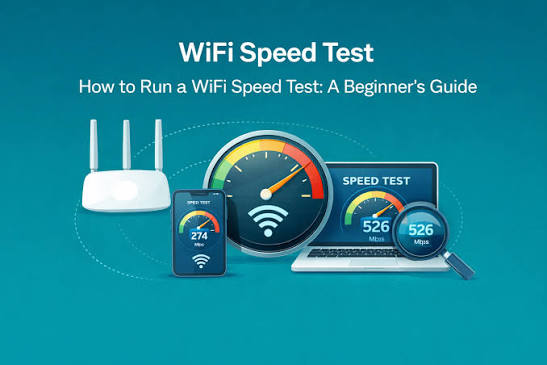
Whether you're on BTC, Mascom, Orange Botswana, or a home fibre line in Gaborone, this free browser-based speed test gives you an accurate read on your connection in seconds no downloads, no signup, no hassle.
Key Takeaways
- Botswana's internet landscape has changed fast over the past few years.
- The tool runs entirely in your browser using modern web technology, so there's nothing to install and no app store required.
- Download and upload speeds are shown in megabits per second (Mbps) note this is different from megabytes per second (MB/s), which is roughly one-eighth the Mbps figure; this distinction explains why a file transfer sometimes 'feels' slower than your speed test number suggests.
- Internet access in Botswana runs on a mix of infrastructure.
- Many people in Botswana rely on mobile data as their only internet connection, using a SIM in a phone, a mobile Wi-Fi router (MiFi), or a fixed-LTE home router.
- A few small habits make a real difference to accuracy.
- If your results come back lower than expected, work through the likely causes in order of probability.
- If you're deciding between BTC, Mascom, Orange Botswana, or a smaller fixed-wireless or fibre provider, the most useful comparison isn't a single speed test it's a pattern built from several tests over a week, at different times of day, ideally from the same physical location.
Why Run an Internet Speed Test in Botswana
Botswana's internet landscape has changed fast over the past few years.
Fibre is expanding across Gaborone, Francistown, Maun, and other urban centres, mobile data speeds have jumped with 4G densification and early 5G rollout in select areas, and more households are relying on a single connection for work, school, and streaming at the same time.
With that growth comes variability: the same SIM card or router can deliver excellent speeds at 7am and feel sluggish by 8pm.
Running a speed test is the only reliable way to know, in the moment, what your connection is actually doing rather than what your plan promises on paper.
It matters most before video calls, when uploading large files for work, when a video buffers unexpectedly, or when you're deciding whether to upgrade your package.
A quick test also gives you hard numbers to bring to your ISP if you suspect an outage or a fault on your line, instead of a vague complaint about 'slow internet'.
For freelancers, students doing online coursework, and small businesses in Botswana that depend on cloud tools, a two-minute check can save hours of frustration by identifying a problem early rather than after a client call drops or an upload fails halfway through.
How This Speed Test Actually Works
The tool runs entirely in your browser using modern web technology, so there's nothing to install and no app store required.
When you press start, it first measures ping and jitter by sending a rapid series of very small data packets to a nearby test server and timing how long each round trip takes.
Ping is the average of those round-trip times in milliseconds; jitter is calculated from how much those individual times vary from one packet to the next.
Next, the download phase opens multiple parallel connections and streams data from the server to your device, measuring throughput in real time as animated charts on screen climb and settle toward your true sustained speed this mirrors what actually happens when you stream video or download a file, rather than relying on a single short burst that can overstate results.
The upload phase reverses the process, pushing data from your device back to the server to measure how fast you can send files, join a video call, or back up photos.
Throughout the test, your results are displayed live rather than only at the end, so you can watch exactly how your connection behaves under load.
Once finished, the tool also identifies your internet service provider and an approximate city-level location using your public IP address, giving you full context for the numbers without ever asking for personal details.
How to Read Your Mbps, Ping, and Jitter Results
Download and upload speeds are shown in megabits per second (Mbps) note this is different from megabytes per second (MB/s), which is roughly one-eighth the Mbps figure; this distinction explains why a file transfer sometimes 'feels' slower than your speed test number suggests.
Download speed determines how quickly pages load, videos stream, and files arrive; upload speed determines how quickly you can send emails with attachments, back up photos, or broadcast video on a call.
Ping, measured in milliseconds, reflects latency the delay between an action and a response.
Under 20ms is excellent and ideal for competitive gaming, 20-50ms is very good for calls and gaming, 50-100ms is acceptable for browsing and standard video calls, and above 100ms starts to introduce noticeable lag in real-time applications, which is common on some satellite or heavily congested mobile connections in remote parts of Botswana.
Jitter, also in milliseconds, shows consistency: a low jitter under 10ms means your connection is stable even if ping is moderate, while high jitter even with decent average ping causes the stutter and freezing you notice on Zoom or Teams calls because packets are arriving at uneven intervals.
When troubleshooting, look at all four numbers together rather than download speed alone: a household with 50 Mbps download but 80ms jitter will still have choppy video calls, while a connection with only 15 Mbps but near-zero jitter and low ping can handle voice calls smoothly.
Typical Internet Speeds and Connectivity in Botswana
Internet access in Botswana runs on a mix of infrastructure. Botswana Telecommunications Corporation (BTC), Mascom, and Orange Botswana are the three major network operators offering mobile data across 3G, 4G LTE, and expanding fixed-wireless and fibre products.
In major urban areas Gaborone, Francistown, Palapye, Maun, and Serowe 4G coverage is generally strong and fibre-to-the-home is increasingly available through BTC and other providers, often backed by BoFiNet's national fibre backbone, with realistic speeds ranging from 20 Mbps on entry-level fibre packages up to 200-300 Mbps on premium tiers.
In smaller villages and more remote areas, mobile data via 3G or 4G remains the primary way most people get online, and speeds can be noticeably lower and more variable depending on tower congestion, distance from the nearest base station, and time of day.
Botswana's relatively low population density outside major towns means that extending fixed fibre everywhere is a slower, costlier process than in more urban countries, so mobile broadband continues to carry a large share of everyday internet use, from mobile money transactions to social media and schoolwork.
Power availability and load-shedding events can also affect network equipment uptime in certain regions, which is worth ruling out if you see a sudden, unexplained drop in speed test results compared to your usual baseline.
Mobile Data vs Fixed Broadband: Which Should You Test and Trust
Many people in Botswana rely on mobile data as their only internet connection, using a SIM in a phone, a mobile Wi-Fi router (MiFi), or a fixed-LTE home router.
Mobile networks are inherently more variable than fixed fibre or ADSL lines because signal strength depends on your distance from the nearest tower, the number of other users sharing that tower's capacity, and physical obstructions like buildings or terrain.
It's worth running a speed test on mobile data at different times of day and in different rooms of your house if you use a MiFi device, since moving even a few metres closer to a window can noticeably improve results.
Fixed broadband DSL, fibre, or fixed-wireless tends to be more stable because it isn't sharing open-air spectrum with every other phone in the area, but it can still be affected by the quality of household wiring, the age of your router, and how many devices are actively using bandwidth at once.
If you're choosing between upgrading a mobile data bundle or switching to a fixed fibre plan, run this speed test on both options at the same time of day over a few days if possible; the average and the consistency of results matter more than a single best-case number, especially if you work from home or your household streams video regularly in the evening.
How to Get the Most Accurate Speed Test Result
A few small habits make a real difference to accuracy.
First, close other apps and browser tabs that might be streaming, downloading, or syncing in the background a phone quietly backing up photos to the cloud or a laptop installing an update can quietly eat into your measured speed.
Second, if you're testing Wi-Fi, sit as close to the router as reasonably possible and avoid thick walls or metal objects between you and it, since Wi-Fi signal degrades quickly with distance and interference; for the most accurate baseline of what your ISP is actually delivering, connect a laptop directly to the router with an ethernet cable if one is available.
Third, restart your router before testing if it's been running for many days without a reboot, since accumulated memory load on cheaper consumer routers can quietly reduce throughput over time.
Fourth, run the test two or three times across different moments once right away, once a few minutes later because a single reading can be skewed by a brief network hiccup.
Finally, be aware of your data bundle: a speed test itself uses a modest amount of data, typically a few tens of megabytes, so if you're on a small prepaid bundle it's worth keeping that in mind, though it's rarely enough to meaningfully dent a standard daily or weekly bundle.
Troubleshooting a Slow Connection in Botswana
If your results come back lower than expected, work through the likely causes in order of probability.
Start with congestion: mobile networks and even shared fibre lines slow down during peak hours, typically weekday evenings from around 6pm to 10pm when households across a neighbourhood or estate are all streaming, gaming, or on video calls simultaneously a lower result at 8pm compared to 8am doesn't necessarily mean anything is broken.
Next, check your device and router: an outdated router firmware, a router placed inside a cabinet or behind a TV, or too many connected smart-home devices can all silently cap your real-world speed even when your plan supports much more.
If you're on mobile data, check your signal bars and consider whether you're indoors, underground (in a basement parking area, for instance), or far from a tower, since even one bar of difference can roughly halve throughput.
Weather can occasionally affect fixed-wireless and satellite links during Botswana's rainy season from November to March.
If a test consistently shows a fraction of your subscribed speed regardless of time of day, device, or location within your home, that's the point to contact your ISP with your speed test results in hand most Botswana providers can check line quality or tower load remotely once you can show them concrete numbers rather than a general complaint.
Comparing ISPs in Botswana Using Speed Test Data
If you're deciding between BTC, Mascom, Orange Botswana, or a smaller fixed-wireless or fibre provider, the most useful comparison isn't a single speed test it's a pattern built from several tests over a week, at different times of day, ideally from the same physical location.
Note not just the headline download number but also upload speed, since many providers advertise download prominently while upload critical for video calls, cloud backups, and remote work can lag well behind.
Pay close attention to ping and jitter too, particularly if gaming or video conferencing matters to you, since two providers can offer similar download speeds while one delivers a far more stable, low-latency experience.
If you're comparing a mobile data plan against a home fibre plan, remember that fibre pricing is often structured around a fixed monthly fee for unlimited or high-cap data, while mobile bundles are typically metered, so the 'better' option depends on both your speed needs and your monthly data consumption.
Keep a simple log date, time, ISP, download, upload, ping for a week before switching providers or upgrading a package; this turns an anecdotal sense of 'slow internet' into evidence you can act on, and it also gives you a fair baseline to hold a new provider to once you've switched.
Speed Test for Gaming, Streaming, and Remote Work
Different activities have different real requirements, and knowing yours helps you interpret results correctly.
Standard-definition video streaming needs roughly 3-5 Mbps, HD streaming needs about 5-10 Mbps per stream, and 4K streaming needs 25 Mbps or more multiply by the number of simultaneous streams in your household.
Video calls on Zoom, Teams, or WhatsApp typically need only 1-4 Mbps in each direction, but they are far more sensitive to ping and jitter than to raw speed, which is why a call can freeze on a fast connection with poor jitter while running smoothly on a slower, more stable one.
Online gaming similarly cares more about low, consistent ping than about high download speed anything under 50ms with low jitter is generally comfortable for most online games.
Remote work that involves uploading large files, screen sharing, or using cloud-based tools like Google Workspace or Microsoft 365 benefits most from a healthy upload speed alongside download, since many entry-level plans in Botswana are heavily asymmetric, offering strong download but comparatively modest upload.
If your work or study routine depends on any of these activities, run this speed test during the actual hours you use the connection most, and weigh the ping and jitter numbers as seriously as the Mbps figure rather than chasing the highest download number alone.
Privacy, Data Use, and Why No Signup Is Required
This tool is built to be used the moment you land on the page, with no account, no email address, and no app download standing between you and your results.
It only needs to briefly exchange data with the test server to measure your connection and to read your public IP address in order to estimate your ISP and approximate city-level location the same basic information any website you visit can already see, and nothing more precise or personal is collected or stored.
There's no tracking of your browsing history, no requirement to hand over a phone number, and no hidden software installed on your device; everything runs through your browser and stops the moment you close the tab.
This matters in Botswana specifically because many users test on shared or work devices, or on limited mobile data bundles, and shouldn't have to spend extra megabytes downloading an app just to check their speed.
It also means you can quickly test my internet speed on a friend's or colleague's device, or on a public library or office connection, without leaving an account behind or needing anyone's permission to install anything.
Making Speed Testing a Regular Habit
A single speed test is a snapshot; testing regularly turns that snapshot into a useful record.
Consider running a quick check once a week at a consistent time, and always immediately after any change a new router, a plan upgrade, moving house, or a call with your ISP's support line so you have a clear before-and-after comparison.
If you manage internet for a small office or household with several people relying on the same connection for work and school in Botswana, keeping even an informal log of results makes it far easier to spot a genuine decline in service versus normal daily variation, and gives you leverage when discussing service quality with your provider.
Over time, this habit also helps you understand your own connection's personality whether it's rock steady but modest, or fast but prone to evening congestion so you can plan important calls, uploads, or downloads around its strongest hours rather than being caught off guard.
Frequently Asked Questions
Is this speed test really free and does it require an app?
Yes, it's completely free with no signup, no email, and no app install required. It runs directly in your mobile or desktop browser, so you can test my internet speed instantly on any device connected to a Botswana network.
What internet speed is considered good in Botswana?
For general browsing and video calls, 15-25 Mbps download is comfortable. For HD streaming or a household with several devices, aim for 40-100 Mbps. Fibre customers in Gaborone or Francistown can often reach 100-300 Mbps.
Why does my speed test result change between morning and evening?
Botswana's mobile and fixed networks experience peak-hour congestion, typically between 6pm and 10pm, when households stream video and students go online. Testing at different times reveals how much shared network capacity is affecting you.
Does this tool show which ISP I'm using?
Yes. As soon as your test finishes, the tool automatically detects and displays your ISP, such as BTC, Mascom, or Orange Botswana, along with your approximate city or region.
What's the difference between ping and jitter in my results?
Ping measures how long, in milliseconds, it takes a signal to reach a server and return; lower is better for gaming and calls. Jitter measures how much that ping time varies moment to moment; high jitter causes choppy calls even with good average ping.
Can I use this speed test on mobile data in Botswana?
Yes, it works on any mobile browser over 3G, 4G, or 5G, including BTC, Mascom, and Orange Botswana data connections. Keep in mind the test uses a small amount of data, so check your bundle if you're on a very limited plan.
Why is my upload speed much lower than my download speed?
Most home broadband and mobile plans in Botswana are asymmetric by design, prioritising download since most everyday activity like streaming and browsing is download-heavy, while upload is reserved for smaller tasks like calls and file sharing.
Should I test with Wi-Fi or a cable connection?
For the most accurate picture of what your ISP delivers, connect directly via ethernet cable if possible. If testing Wi-Fi, sit close to the router with minimal walls in between, since distance and interference can significantly reduce your result.
How often should I run a speed test?
A quick weekly check is a good habit, plus a test any time you notice slow performance, after changing routers, upgrading your plan, or moving house, so you always have a clear comparison point.
What should I do if my speed test results are consistently low?
Rule out congestion by testing at different times, restart your router, move closer to it or your mobile tower, and if low results persist across devices and times, contact your ISP with your test results as evidence.